Databases
For: everybody who can open a site, including users.
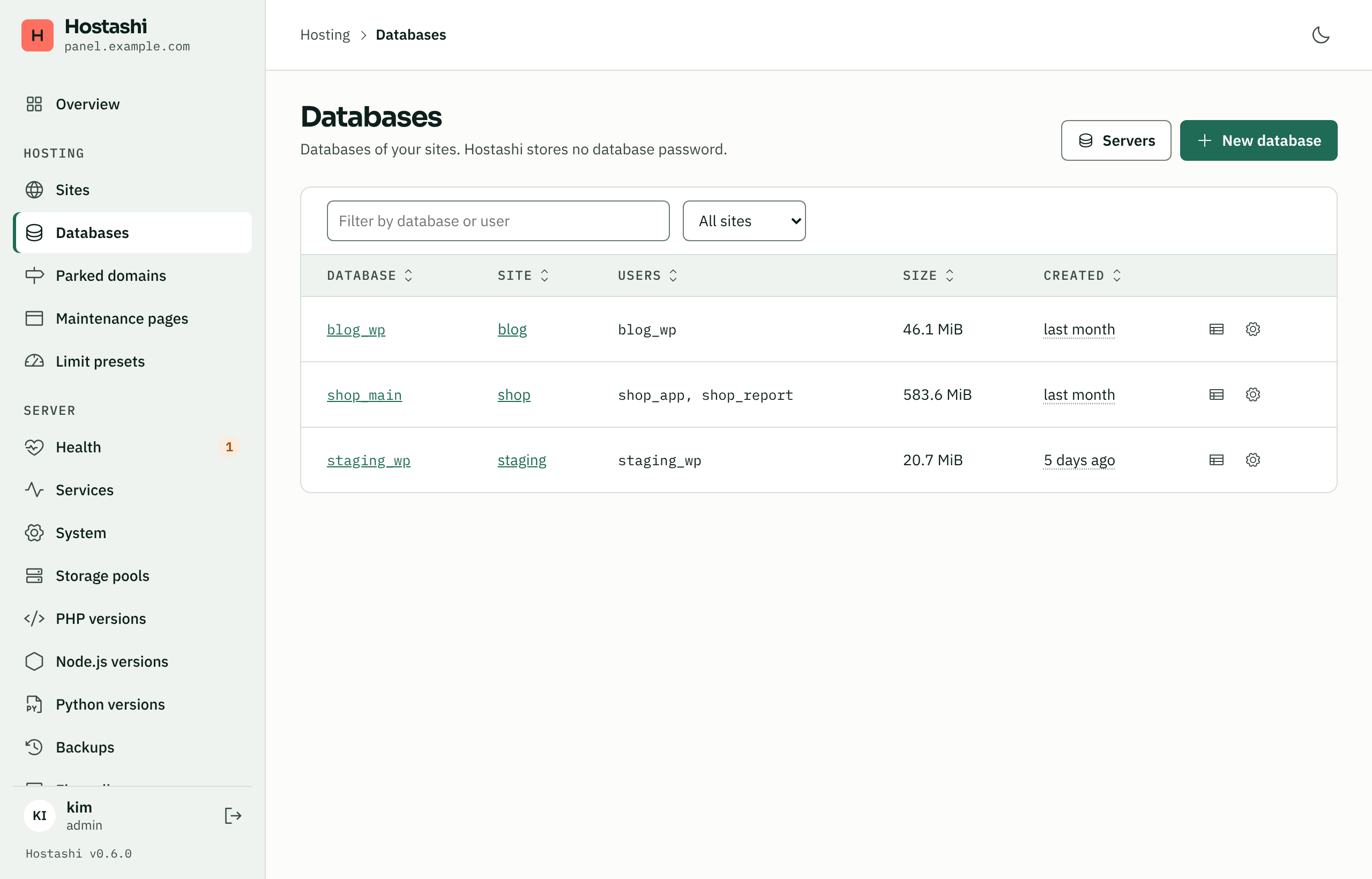
Every database belongs to one site. By default databases live in the server's own MariaDB; admins can add external servers (see below).
Create a database
- Open Hosting → Databases → New database.
- Choose the site, the database name and the user name (lowercase letters, digits and
_, starting with a letter). - If there are several database servers, choose one. A database stays on the server it is created on.
- After creating, the panel shows the password once. Copy it into the site's configuration, for example
wp-config.php.
Hostashi does not store database passwords and cannot show them again. If one is lost, set a new one on the database's page: the old password stops working at once, so update the site's configuration right after.
In the site's configuration, use localhost as the database host for the server's own MariaDB. For an external server, use the host name shown in the server list.
Import and export
- Import: on the database's page, under Import or export, choose Import a file. MariaDB and MySQL take
.sqlor.sql.gz, PostgreSQL also.dump(pg_dumpcustom format). - My computer: pick the file. The panel uploads it into
hostashi-imports/in the site's home, imports it and removes it again. While it is there it counts towards the site's disk space. - The home of site …: enter the path of a file already in the site's home, for example one uploaded with SFTP or the file manager.
- Export: enter the file to write, relative to the home. An existing file is never replaced.
Browse and edit the data
If the web database tool is installed, Open in Adminer opens the database in a new browser tab. Hostashi creates a temporary database user for it; that user and its connections end after the session length you choose. No password reaches your browser.
The top bar in Adminer shows when the session ends. +30 min opens the panel in a new tab, where one click extends the session; the Adminer tab shows the new time when you go back to it. Logout in Adminer opens the panel, where one click ends the session: the temporary user is removed and its connections close. The database's page in the panel lists the open sessions with the same two actions.
Delete a database
On the database's page, Delete database removes it together with its users. This cannot be undone. Databases of a site are also deleted when the site is deleted.
External database servers
For: admins. Under Hosting → Databases → Database servers, add a MariaDB, MySQL (8.0 or newer) or PostgreSQL server that the panel creates databases on:
- Give it a name for the panel, the host name or address, the port and an administrator account. For MariaDB and MySQL it needs
CREATE,DROP,CREATE USERandGRANT OPTION; for PostgreSQL a role withCREATEDBandCREATEROLE, not a superuser. - The panel stores that administrator password encrypted. It is the only database password Hostashi keeps.
- Use TLS with the server's CA certificate. Unencrypted connections work, but only inside a private network you trust.
- For PostgreSQL, allow only this server's address in its
pg_hba.conf.
New databases go to the server marked as default. Removing a server from the panel changes nothing on the server itself.
See also Database limits.